Announcement
Conditional Formatting
Highlight what matters with single color and color scale rules on any table across SELECT
By Areeb Rasul
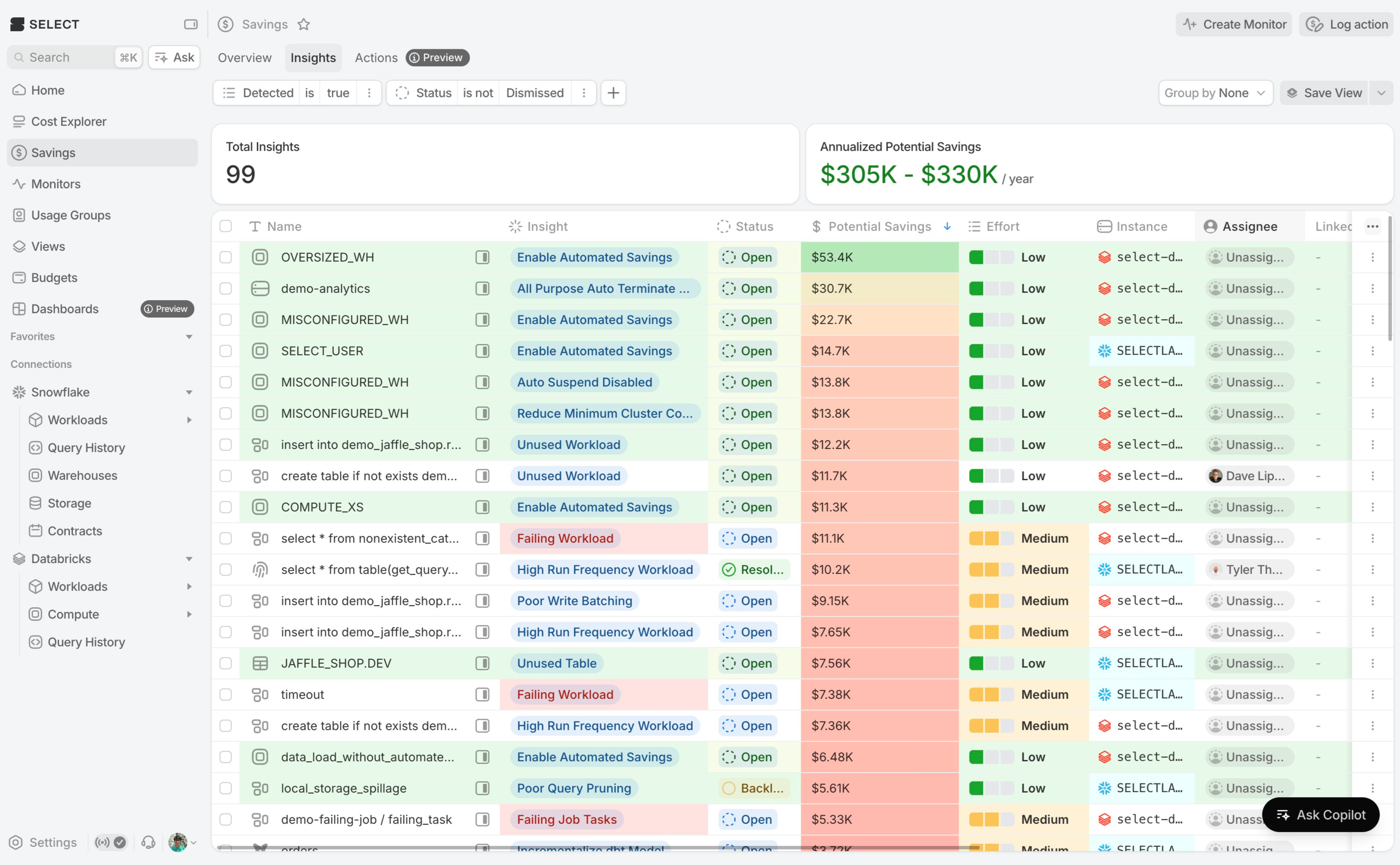
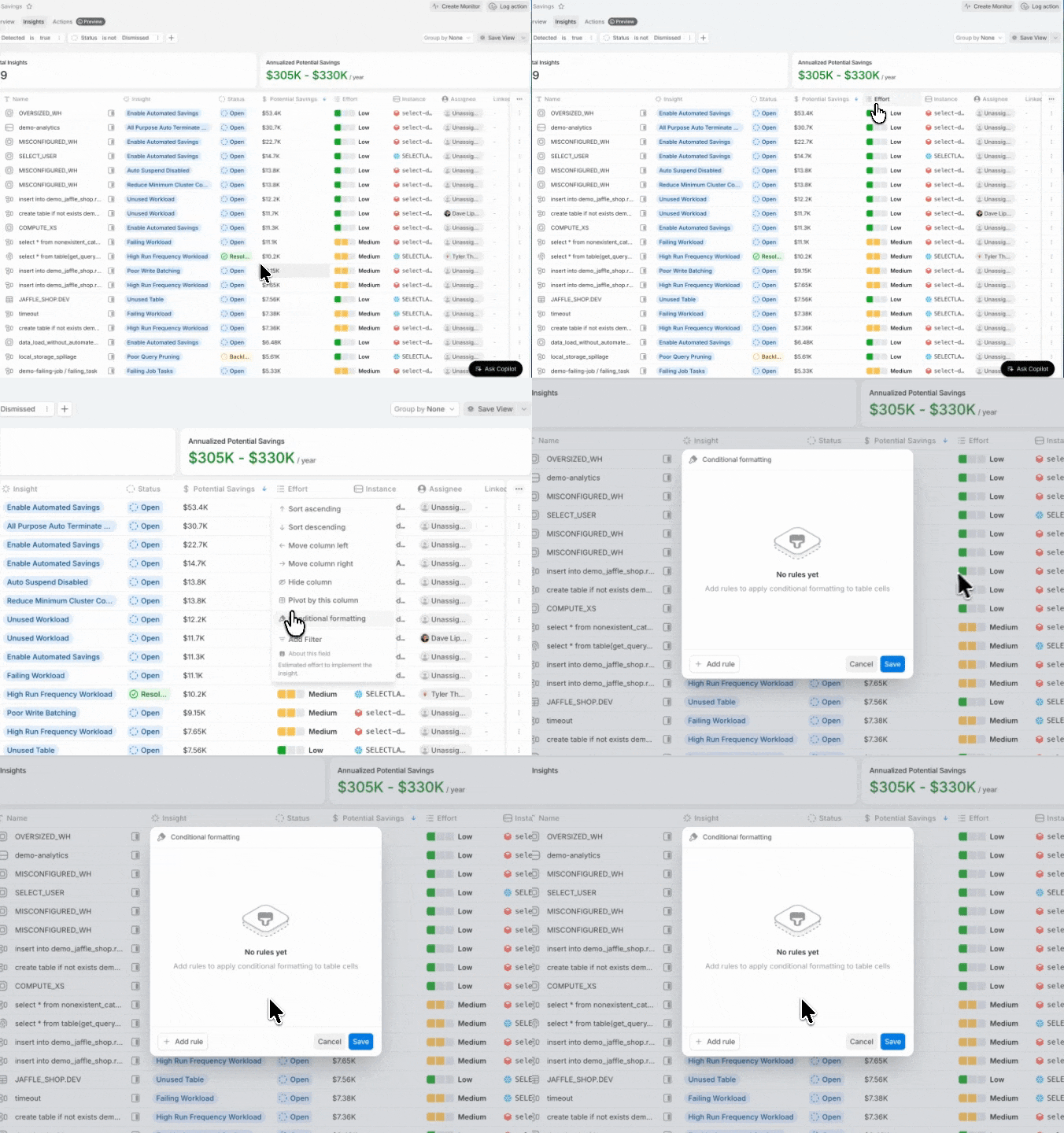
Starting today, Conditional Formatting is live on every table in SELECT, including built-in pages and Custom Dashboards. Highlight what matters automatically instead of scanning row by row. Open it from any column header, or from the table's options menu.
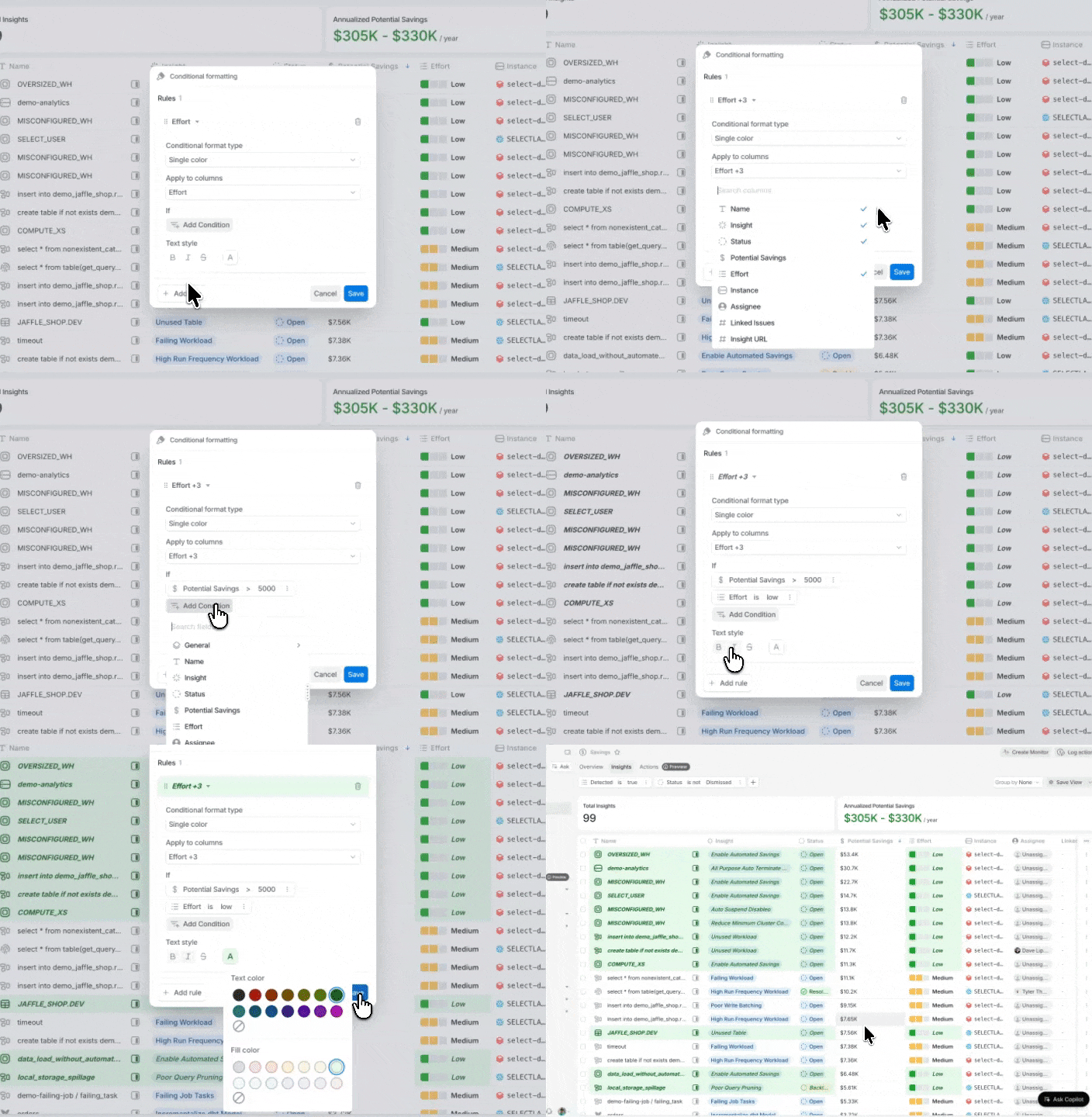
A single color rule formats cells that meet a condition: is, is not, contains, starts with, greater than, less than, before/after a date, is empty, and more. Combine conditions with AND/OR logic, on numeric, text, and date fields alike. Matching cells get a background color, text color, bold, italic, or strikethrough.
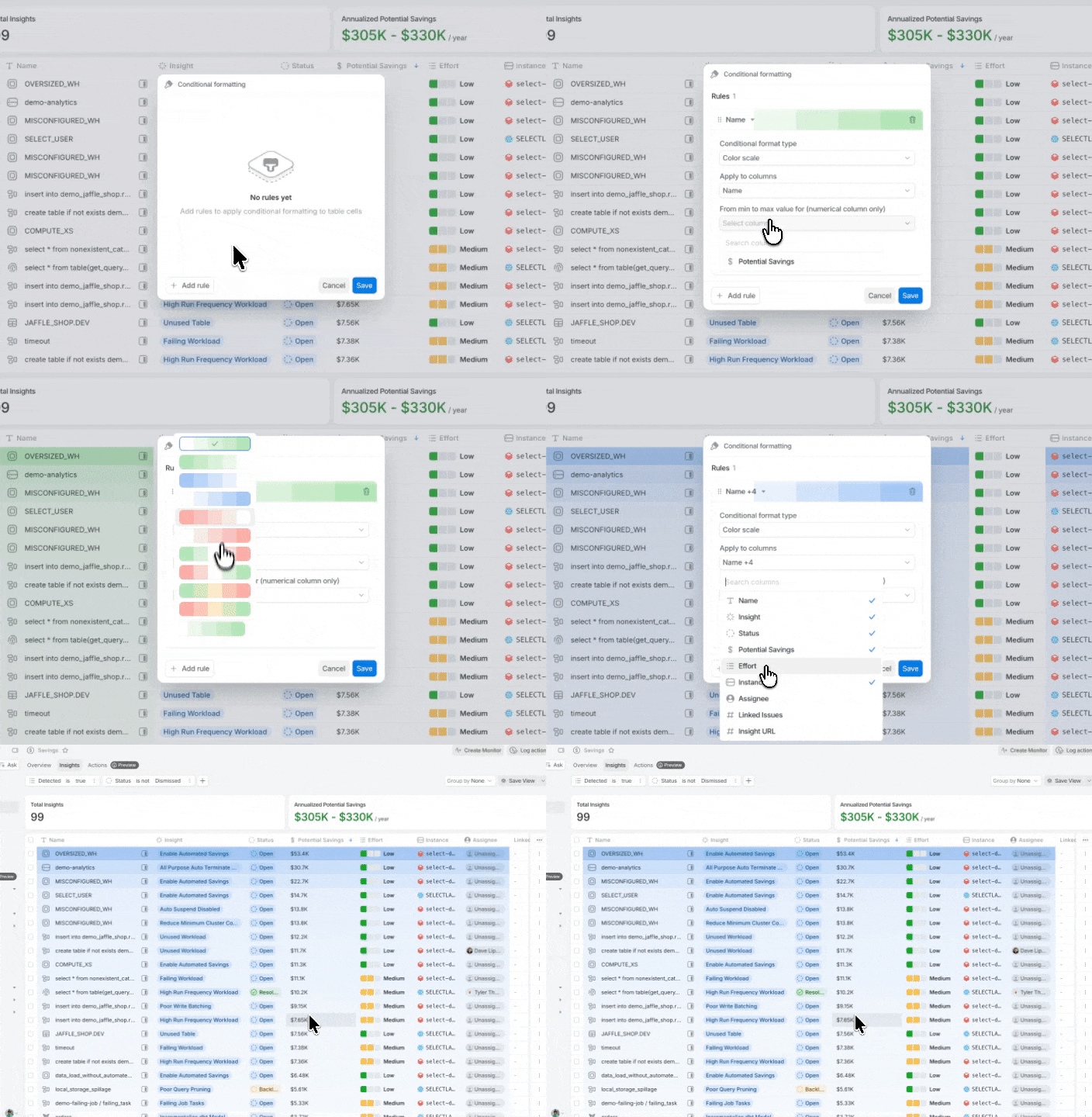
A color scale shows magnitude instead. Pick the numeric column the scale is based on and one of the built-in 2- and 3-color presets, and cells are tinted between the min and max of the loaded rows. Apply it to that column alone, or tint a group of columns off the same column's values to shade a whole row at once.
Rules save with the table, so they carry over whether it's shared via URL, saved as a view, or added to a Custom Dashboard — anyone who opens it sees the same formatting.