
Fix
Ask Copilot directly from Slack
Following the Public Preview release last month, we're making our SELECT copilot even more accessible.
By Mike Bertrand-Pickfield
·Shipped by
Earlier this month, we released the SELECT Copilot into Public Preview for all customers. Now, we're making it even more accessible and integrated with your team's workflow; Copilot is supported via our Slack bot, with all the same functionality as in our app.
Ask questions about your Snowflake usage directly from Slack in any channel. Tagging the @SELECT bot with a question starts a chat. Copilot can see the thread you've tagged it in, but not the rest of the Slack channel. You can also view or continue a Slack Copilot chat in-app.
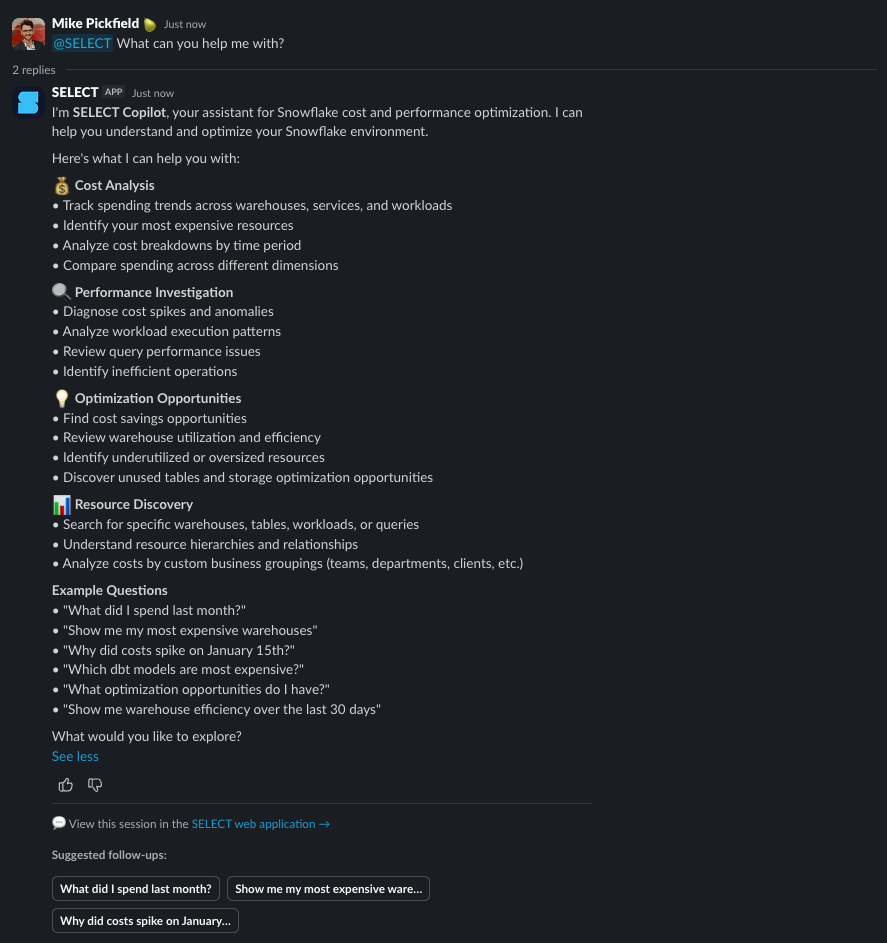
Due to the new functionality, the bot has additional permissions and requires re-installing to use Copilot in Slack.
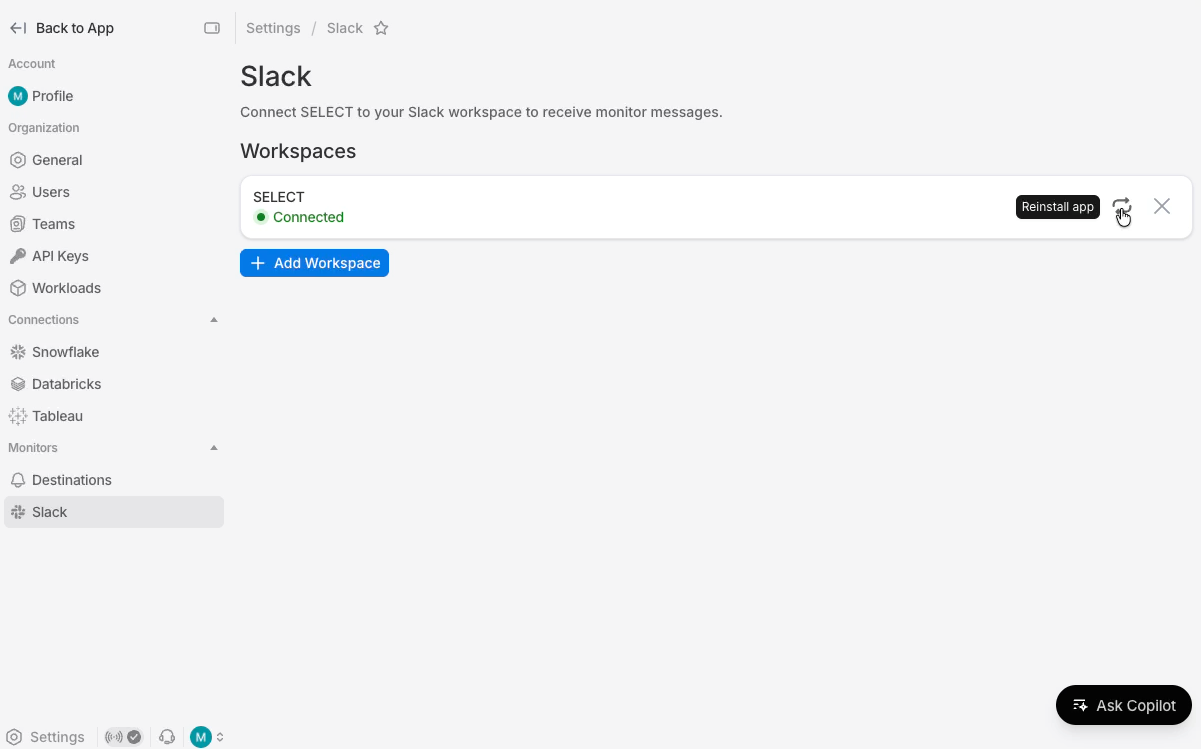
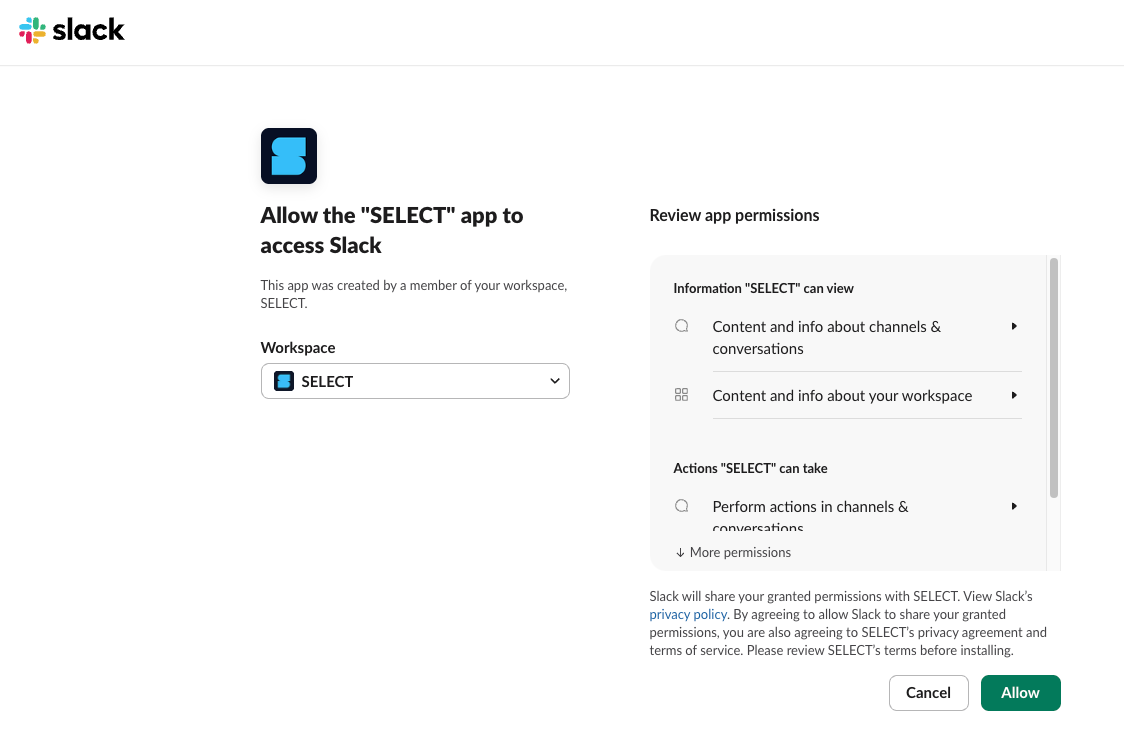
To reinstall the bot, head to select.dev/app/settings/slack and click the re-install icon on the right hand side of your existing workspace connection. This will take you to a Slack authorization screen where you can re-install with the newly requested permissions. We need these permissions to be able to read the messages you tag Copilot in.
After reinstalling, head to any channel and start asking questions! As always, please reach out if you have any questions or suggestions for improvements.
Other Things We shipped
- 🐛 Fixed an issue where some monitor titles displayed incorrect units
- 🪄 Monitors now automatically suggest smarter names based on your selections
- 🪄 A warning now appears for duplicate monitor names
- 🪄
[Databricks Early Access]Added Databricks specific filters to Cost Explorer and Usage Groups definitions page